
DANA Indonesia Digital Wallet
PT Espay Debit Indonesia KoeFinance
4.53.37K Reviews
- Version
- 2.128.0
- Installs
- 100.00M
- Age Rating
- Everyone
Screenshots
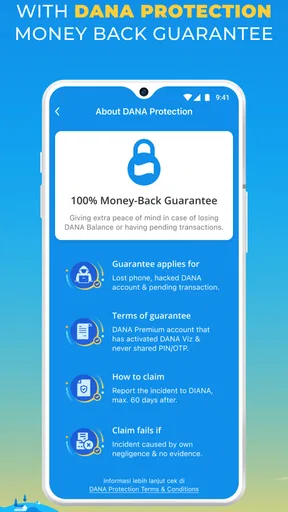
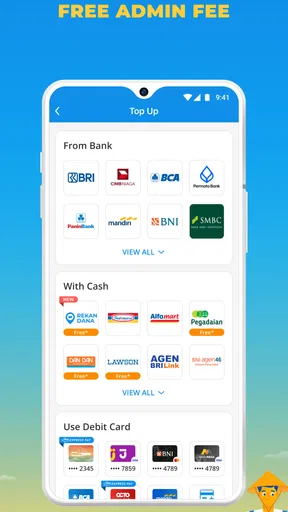
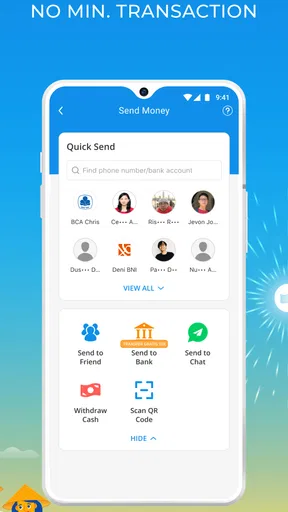
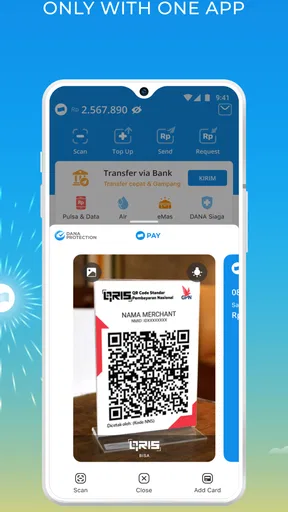
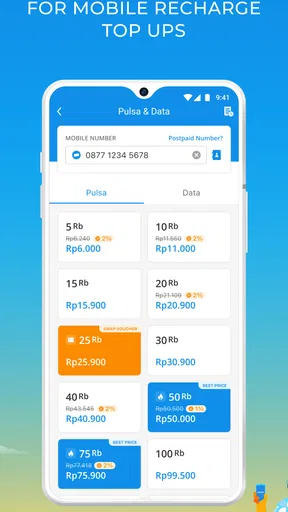
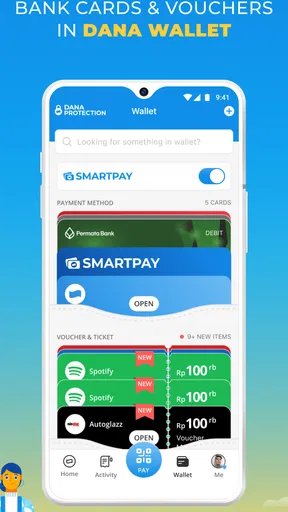
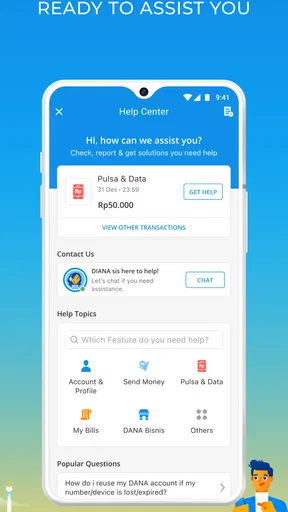
Our Review of DANA Indonesia Digital Wallet
 Analysis by Appyee
I judge a wallet by how well it handles ordinary moments: settling a shared meal, paying a household bill, or getting through checkout without digging for cash. DANA Indonesia Digital Wallet is built for those tasks, and its appeal is easy to understand if you want a phone-based way to manage everyday payments. I would treat it as a convenient payment tool, though, not as a reason to stop checking what you spend or to assume every transaction will be instant.
What speed feels like in everyday use
For simple actions such as opening the app and making a payment, DANA is designed to keep the process direct. A familiar home screen and a short route to common tasks matter more to me than flashy effects in a finance app: when someone is waiting to split a bill, extra navigation is a real nuisance. The best speed improvement is often preparation. I would open the app before reaching the counter, check that I can sign in, and avoid trying to sort out an account issue while a queue builds behind me.
“Fast” still depends on more than the app. A weak connection, a busy payment moment, or a delay in the service handling the transaction can interrupt an otherwise simple flow. I would not promise a friend that a transfer will always land in seconds, and I would check the result in the app before assuming a payment has gone through. That small pause is useful: it can prevent an accidental second attempt if the first screen takes time to update.
Heavy-use moments and practical workarounds
DANA is most useful when several small financial chores land together. For example, after buying groceries, you might settle your share of a household bill, pay for internet service, and reimburse a friend for a shared purchase. Keeping these tasks in one wallet can save trips between separate payment routines. I would still handle them one at a time and confirm each completed transaction before moving on, rather than tapping through a list quickly and losing track of what succeeded.
Promotions can make a purchase feel more rewarding, but I would treat cashback as a bonus rather than a reason to spend. Before relying on an offer, check its conditions in the app and make sure the merchant and purchase fit them. This is a useful habit with any wallet: a deal only helps if it applies to something you already intended to buy. It also keeps a promotional banner from turning a planned payment into an unplanned one.
At busy times, the practical question is not simply whether the app opens, but whether you have another way to finish the purchase if it does not. I would carry a bank card or a modest amount of cash when a payment is time-sensitive. That is not a criticism unique to DANA; it is sensible backup for any digital wallet, especially when a merchant’s connection or your phone’s signal might be the weak link.
Reliability, recovery, and careful payment habits
A wallet earns trust through predictable routines, but I would separate that feeling from the assumption that mistakes can never happen. Before sending money, take a moment to check the recipient and amount. When paying a bill, make sure you have selected the intended service and reviewed the details shown before confirming. These checks are easy to skip when you are in a hurry, yet they are more valuable than shaving a second off the payment process.
If an action appears to stall, resist the urge to repeat it immediately. First look for a transaction result or other confirmation in the app; retrying without checking can create confusion about whether you have paid once or twice. If you cannot tell what happened, pause and use the app’s available help channel before making another payment. For an urgent bill, keep its due date in mind and leave room to resolve a problem rather than waiting until the final moment.
Security also depends on habits outside the app. A PIN or biometric check can help protect access, but I would keep my phone locked, avoid sharing credentials, and be cautious when someone asks me to approve a payment unexpectedly. If you use a shared or borrowed device, a wallet tied to your personal phone number is not something I would leave signed in for convenience. These are everyday precautions, not reasons to avoid digital payments.
Device fit and the alternatives worth considering
DANA is a sensible option if your phone can run it and you want routine payments close at hand. The minimum operating-system requirement is Android 5.1, which gives older Android devices a route to compatibility, but compatibility alone does not guarantee a comfortable experience. A phone with limited storage, an aging battery, or unreliable mobile data can make any wallet feel slow or inconvenient. I would keep enough free space for app updates and avoid depending on a nearly discharged phone as my only way to pay.
Compared with paying in cash, a wallet can make small transfers and bill payments easier to manage without carrying the exact amount. Compared with a bank app, it may feel more focused on quick everyday transactions and participating merchants, while a bank app may suit someone who prefers to keep payment activity alongside their broader banking. Neither approach wins for everyone. If you mostly pay at places that do not accept DANA, or you prefer not to rely on a phone at checkout, a card or cash is the more dependable choice for those occasions.
Who will get the most from it
I would recommend DANA to someone in Indonesia who regularly pays participating merchants, sends money to friends, or wants a handy place to handle common bills. It can be especially useful for people who split shared costs often: settle your part soon after a meal, note that it is done, and avoid the awkward later message asking who still owes what. It is less compelling if your preferred merchants do not accept it, you rarely make digital payments, or you are uncomfortable keeping a payment app on your phone.
The app is free and is developed by PT Espay Debit Indonesia Koe. It has a 4.5 average from around 10 million ratings, with more than 100 million installs, so it is clearly a familiar choice for many users. Its age rating is Everyone. Those figures indicate broad adoption, but they do not guarantee that every merchant, transaction, or support experience will suit your own needs. I would try it with a routine, low-stakes payment first, then decide whether it fits the way you actually spend.
Version 2.128.0 is the current release, and DANA first appeared on May 7, 2019. For me, the useful question is less about how long it has been around and more about whether it makes my particular routine simpler. A wallet is worthwhile when I can find the task I need, confirm what happened, and move on without extra steps. If I have to change my spending habits just to chase an offer or use a merchant I would not otherwise choose, the convenience has stopped being a benefit.
There is also a practical balance between keeping a wallet ready and keeping financial apps under control. I would review the payment activity after a busy day, especially if I have made several small transfers, so that an unfamiliar entry does not get lost among routine purchases. That quick check is more useful than trying to remember every tap later. It also gives you a chance to spot a mistaken recipient or an unexpected charge while the details are still fresh.
Getting Started with DANA
First things first, downloading DANA Indonesia Digital Wallet is a breeze. Just head over to the Play Store or App Store, hit that install button, and you’re on your way. Once you fire it up, the registration process is straightforward. All you need is your phone number, and you’re good to go. They make it super easy, so even if you’re not tech-savvy, you won’t get lost.
As soon as you’re in, the interface is clean and intuitive. I mean, who doesn’t love an app that doesn’t require a manual to navigate, right? Everything you need is right there on the home screen, from sending money to paying bills. It’s like having a personal assistant that doesn’t talk back.
Features That Make Life Easier
Let’s talk about what you can actually do with DANA. First up, it’s great for sending money to friends. Picture this: you’re out to dinner, and the bill comes. Instead of fumbling for cash, just whip out your phone and transfer your share in seconds. It’s literally that simple.
Another cool feature is the ability to pay bills directly through the app. Electricity, water, internet—you name it, DANA’s got it covered. No more running around to pay bills, just a few taps and you’re done. Plus, there’s a whole bunch of partner merchants where you can use DANA for shopping, whether online or offline. Talk about convenience!
If you’re a fan of cashbacks and rewards, then you’re in for a treat. DANA often runs promotions where you can snag some sweet deals. It’s a nice little perk that makes your spending go a bit further.
Security Features
Now, I know what you’re thinking—how safe is this digital wallet? Rest easy because DANA takes security seriously. They use multiple layers of security to keep your transactions safe. From biometric authentication (yep, that’s your fingerprint or face) to a unique PIN, your money is well-guarded.
Moreover, DANA is licensed and regulated by Bank Indonesia, which means they have to stick to strict guidelines to ensure everything is above board. So, you can trust that your hard-earned cash is in safe hands.
User Experience
Using DANA is, quite simply, a joy. The app is consistently smooth and doesn’t crash—something I can’t say for every app out there. The customer support is pretty responsive too. If you ever run into issues, they’ve got your back with prompt assistance.
One thing I appreciate is how lightweight the app is. It doesn’t hog your phone’s resources, so you don’t have to worry about it draining your battery or slowing down your device. It’s like having a reliable sidekick that’s always ready to go.
Room for Improvement
While I’m all about the love for DANA, there are a couple of areas where it could improve. For instance, expanding the number of partner merchants would be a big plus. Although the current selection is decent, more options would definitely enhance the user experience.
Additionally, while the app is mostly glitch-free, there are occasional hiccups during peak times. It’s not a deal-breaker, but it’s something to be aware of if you’re planning to use it during busy periods.
In conclusion, DANA Indonesia Digital Wallet is a fantastic tool for anyone looking to simplify their financial transactions. It’s user-friendly, secure, and packed with features that make everyday tasks a breeze. Whether you’re paying bills, shopping, or sending money to a friend, DANA makes the process hassle-free. So, if you’re in Indonesia and haven’t tried it yet, give it a whirl—you might just find it’s the app you didn’t know you needed!
Verdict
Strengths of DANA Indonesia Digital Wallet
- User-friendly interface, easy navigation.
- Supports multiple payment methods.
- Secure transactions with encryption.
- Fast money transfers and bill payments.
- Loyalty rewards and cashback offers.
Limitations of DANA Indonesia Digital Wallet
- Limited to users in Indonesia.
- Occasional app crashes reported.
- Customer support can be slow.
- Requires stable internet connection.
- Some features locked behind premium.
Similar Picks in This Category
View All
Google Wallet
Google LLC4.3

Airtel: Recharge, Bank & Loans
Airtel4.0

PayPal - Pay, Send, Save
PayPal Mobile4.2

Binance: Buy Bitcoin & Crypto
Binance Inc.4.8

Cash App
Block, Inc.4.7

MetaTrader 5 — Forex, Stocks
MetaQuotes Software Corp.4.7
Frequently Asked Questions
What is DANA, and how does it work?
DANA is a digital wallet app in Indonesia that allows users to make secure payments, transfer money, and manage their finances digitally. It works by linking your bank account or credit card to the app, enabling you to conduct transactions without cash. Users can pay bills, shop online, and even split payments with friends.
Is DANA safe to use for transactions?
Yes, DANA employs advanced security measures to protect your data and transactions. It uses encryption technology and requires authentication steps, such as PINs or biometric verification, to ensure that only you can access your account. Additionally, DANA is regulated by Indonesian financial authorities, adding an extra layer of credibility and security.
What fees are associated with using DANA?
DANA offers many transactions free of charge, such as top-ups and peer-to-peer transfers within the DANA network. However, there might be fees for certain services, like withdrawing money to a bank account or using services outside the app’s free offerings. It's recommended to check the app for the latest fee details to avoid surprises.
Can I use DANA without a bank account?
Yes, you can still use DANA without linking a bank account. The app allows users to top-up their wallet via various methods, including convenience stores and other partners. However, linking a bank account enhances functionality, such as seamless transfers and withdrawals, offering a more comprehensive financial management experience.
How can I troubleshoot common issues with the DANA app?
For common issues like app crashes or transaction problems, start by checking your internet connection and ensuring the app is updated to the latest version. If problems persist, you can contact DANA's customer service through the app or their official website. They offer support via chat and email to help resolve any issues you may encounter.
